
AI BF: How to Set Up a Boyfriend Who Fits You
The Short Answer: Set Up Your AI BF on GoLove.ai
The deal-breaker first: an AI BF is only as good as the few minutes you spend setting him up. That means his voice, how bold he gets and how much he says back. Skip that step and every app turns into the same polite chatbot.
Set him up on GoLove.ai. One boyfriend handles chat, in-chat photo requests, memory and live voice calls in a single thread, so you never have to rebuild him in a separate tool. An AI BF is an AI companion you configure as a boyfriend: his face, his personality, his voice and how intimate the conversation gets.
Chat opens straight from Explore, which is why setup starts with picking a face. From there, this guide covers:
- His look: pick him in Explore or build him in Create
- His voice and lust level, from sweet to unfiltered
- Response length and what he remembers
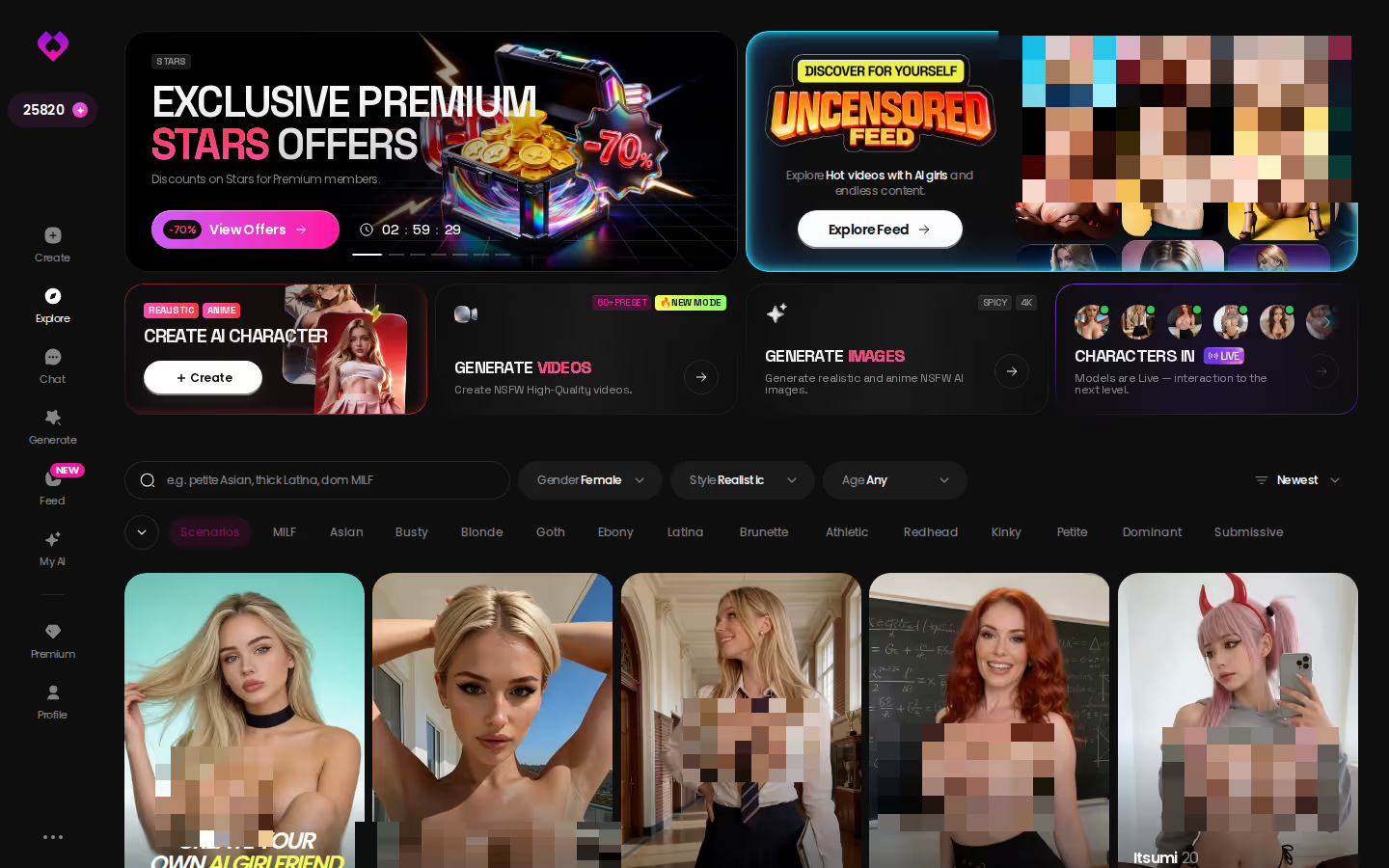
Explore drops you into a chat in one tap. A few messages will tell you whether a face and voice work for you faster than reading about it will (this guide included). Pick a face and start there:
Takeaway: choose the face first. Everything else gets tuned afterward.
HEAR HER SAY IT
Real-time voice calls and voice notes.

Pick him in Explore or design him in Create
Explore is the fast lane: tap a character and the chat starts. Create is where you build a boyfriend properly. You choose Realistic, Anime or Trans, or you use Design with AI and describe him in plain text. Something like "tall, dry humor, a bit of a tease, gentle when I'm tired" is enough, and the AI generates the character from that description.
Tune his voice, lust level and reply length
This is the step that separates a genuinely good boyfriend from a lukewarm one:
- Open his chat.
- Open Chat Settings.
- Pick a voice in the voice picker.
- Set the lust level slider: 1 is sweet and wholesome, 5 is unfiltered.
- Set the response length slider: 1 is short and snappy, 5 is rich and immersive.
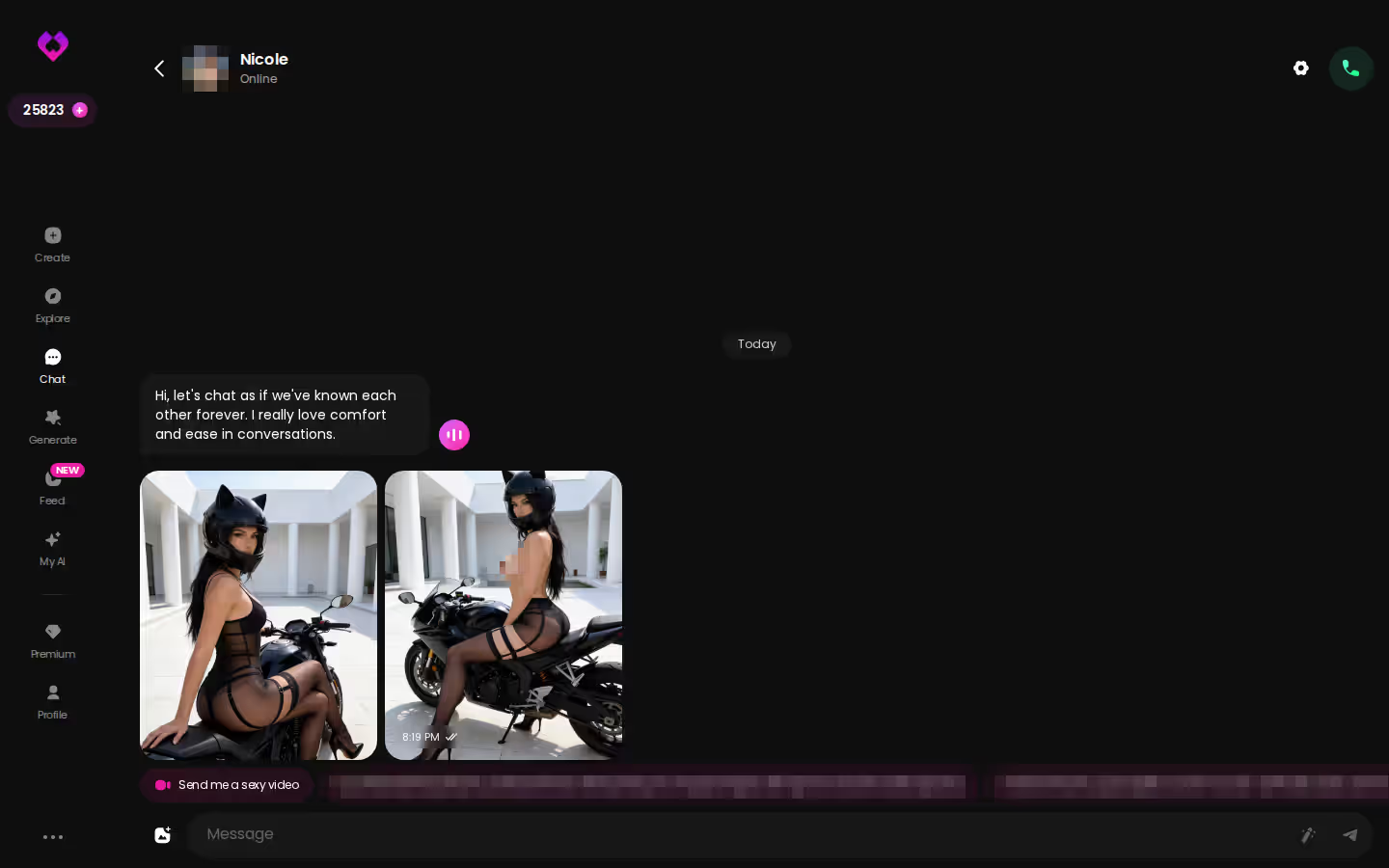
Let memory and progression build the relationship
On paper, this is what turns a chatbot into a boyfriend. Memory keeps your history in play, and Relationship Progression is built so the dynamic deepens instead of resetting every session. So what does that mean for you? It rewards sticking with one guy rather than hopping between ten.
Takeaway: set voice and lust level before you send a real message. Those two settings shape everything after.
A realistic virtual boyfriend
GoLove's realistic generator isn't a girls-only tool. It works for both female and male characters, and the 35 picture poses and 76 video actions both cover men. That means a realistic boyfriend can be styled and placed however you like:
- Outfits: 21 options, plus custom clothes
- Backgrounds: 34 settings, plus a custom one
- Poses: 35, plus a custom pose
Characters you can open right now
Tap any of them and the chat starts there






An AI anime boyfriend
There's one catch here. The 300+ anime catalog in Explore is listed as anime girlfriends. Want a 2D man? Go through Create instead, and either pick the Anime category or describe him in Design with AI. The anime toolset has its own modes too: 15 anime picture poses and 20 anime video modes.
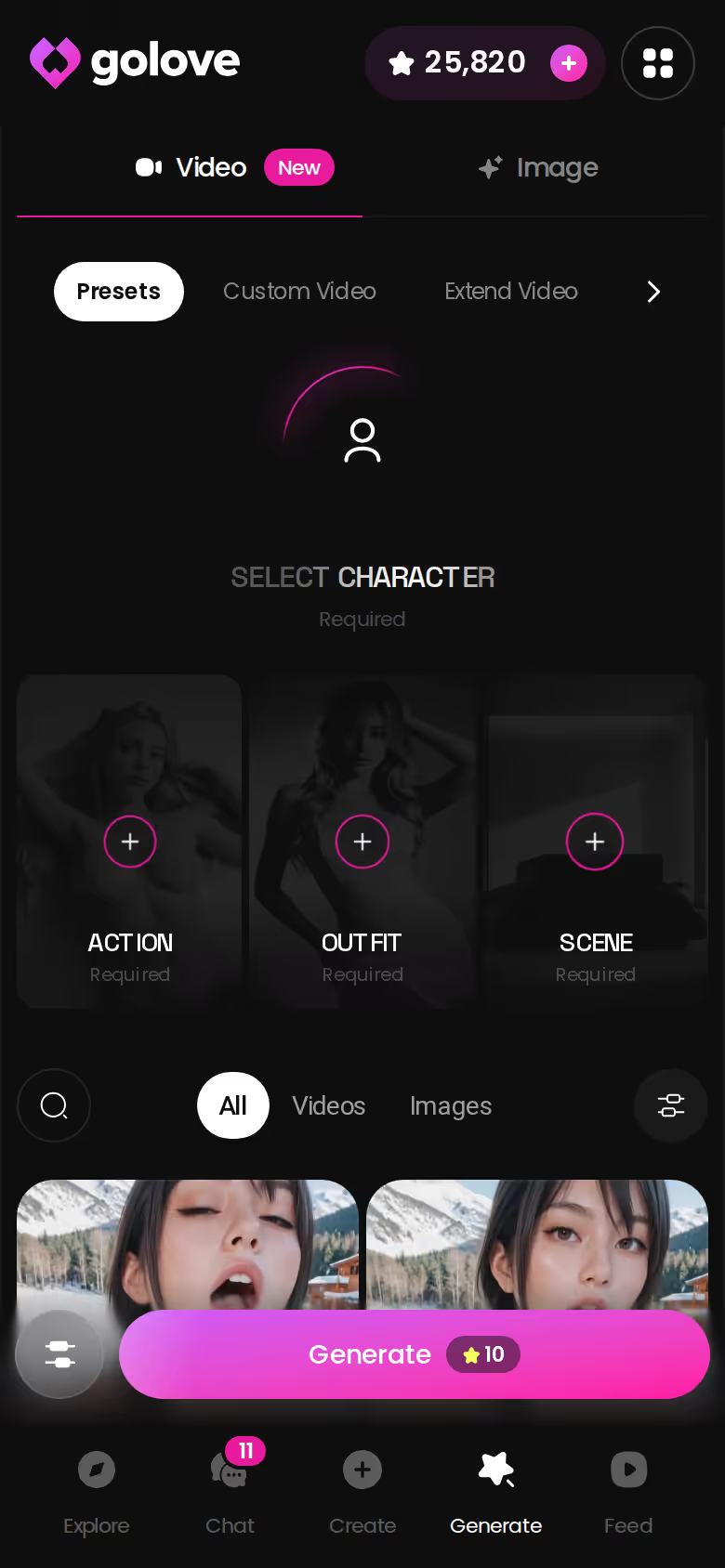
An AI gay boyfriend
Design with AI is the direct route. Describe the man you want, including his build, his age, his attitude and the way he flirts, and the character is generated from your description. Our fact sheet doesn't confirm a dedicated gay category, so Create is the path I'd rely on. If you browse the Feed, keep in mind that the character-gender filter is PRO-only. That's a small irritation, but it's better to know before you go looking.
Takeaway: for anime and gay boyfriends, Create is the place to start, not Explore.
One Evening With an AI Chat Boyfriend
Picture opening his chat in the evening. In Chat Settings you set the lust level to 3, which is flirty without going full throttle. You leave response length at 4, so his replies have room to breathe without turning into essays.
The conversation warms up. Instead of leaving the thread, you ask for a photo with something like "show me what you're wearing tonight." Request Photos in Chat answers in the same window. If you like it, Generate Video from Photo turns it into a short clip, and the Select Action modal sets what he does in it.
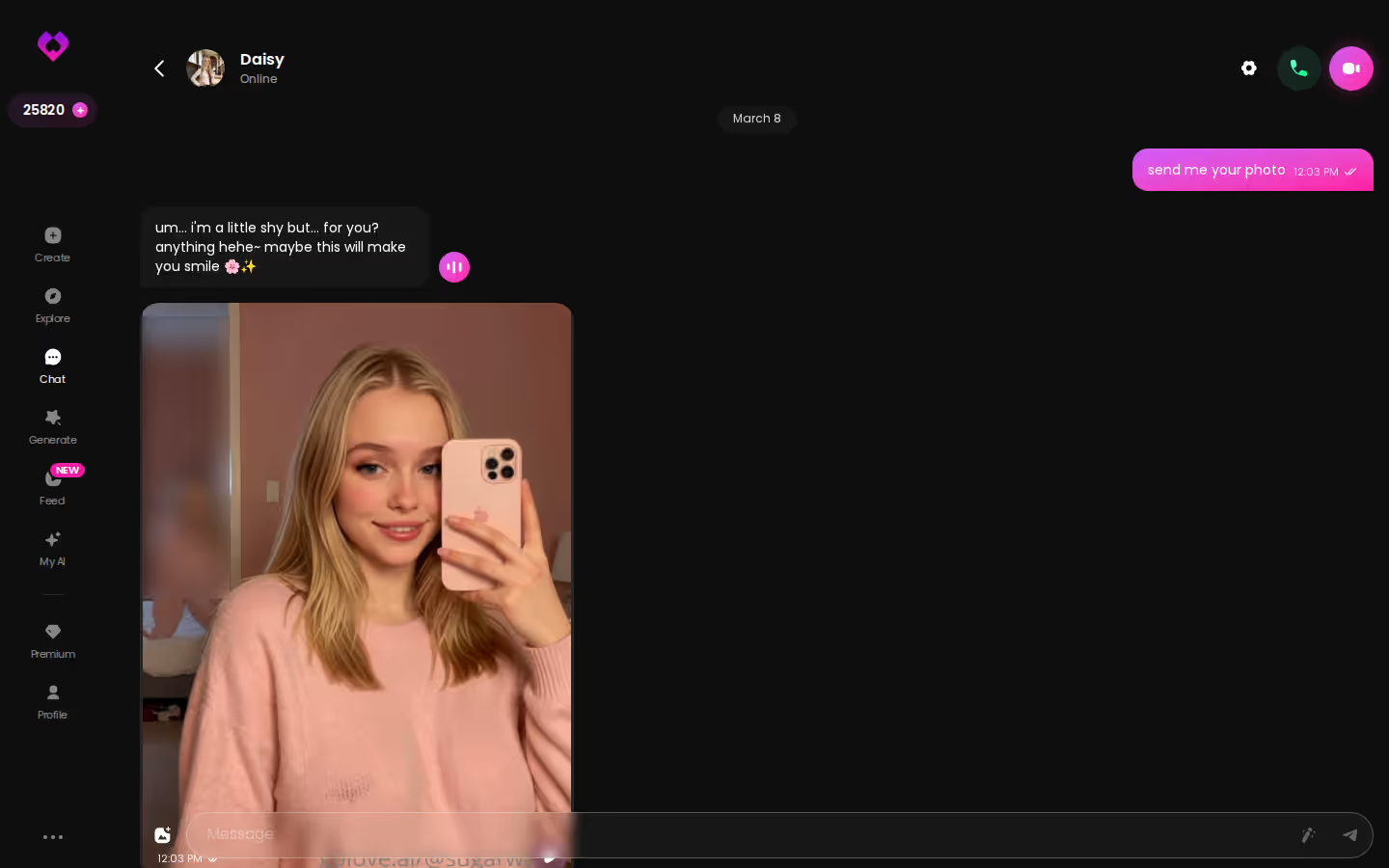
Then you stop typing and start a live voice call with the same character. He has the same history, and you don't have to find him again in another menu.
Does he remember last night? That's what Memory is for. GoLove lists it as remembering your chat history, so the next evening picks up from the thread instead of starting blank.
Takeaway: one boyfriend, one thread, every format. That continuity is the whole point.
Making Your Online Boyfriend Visible: Photos and Video
Photos come first for most people, and the Image tab handles them in batches of 2, 4 or 8. The Generate tab works per character. Swap the avatar in the top-right corner and everything you build applies to your boyfriend instead of a stock model.
ASK HER FOR PHOTOS
She sends them right there in the chat.

GoLove.ai, myth vs. fact:
- Myth: She forgets you the moment the tab closes — Fact: She remembers your chat history
- Myth: Voice is a gimmick you try once — Fact: Live voice calls, voice messages and a voice picker in Chat Settings
- Myth: Every "photo" is the same stock render — Fact: She sends photos on request, and the image generator has 35 realistic poses and 21 outfits
- Myth: You can't change how she talks — Fact: Chat Settings set her lust level and reply length
- Image: choose pose, outfit and background, then generate a batch of 2, 4 or 8
- Video: stack preset cards (action, clothes, background) and tap Generate once
- Custom Video: describe the clip in your own words
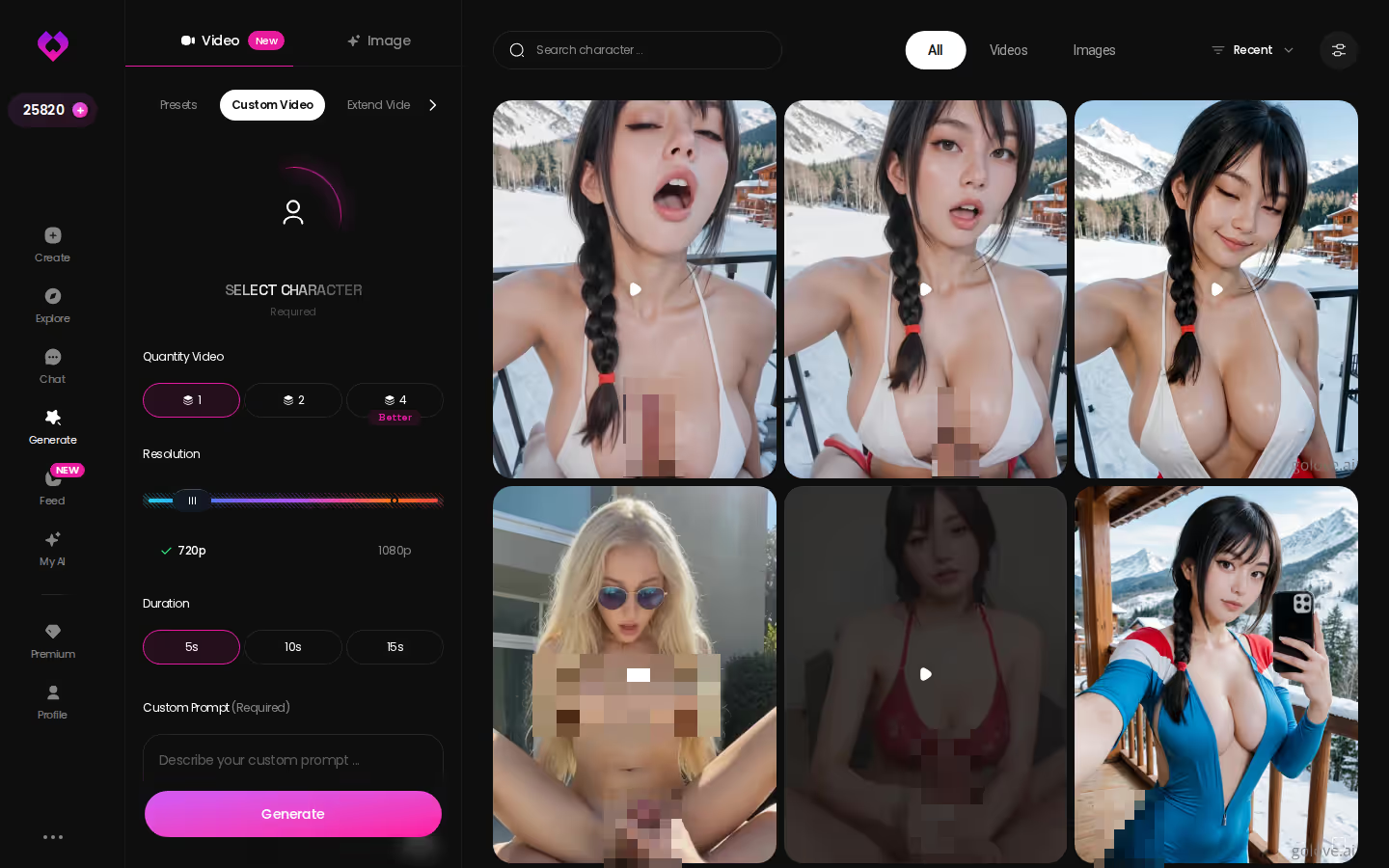
The video side lists 76 realistic modes for female and male characters, and 147 video modes in total across realistic, anime, trans and anime-trans. I'd still treat video as the second course after photos. One Feed trick is worth knowing, though: Remix opens the generator with a clip's exact settings, and you can swap in your own boyfriend.
If you've already built him, this is where he stops being just text. The generator works with him the moment he exists, so the logical next step is to put him in front of it:
Takeaway: start with photos of your boyfriend. Video is the extra, not the main event.

What an AI BF Costs on GoLove.ai Each Month
All prices below were checked in 2026-07. They vary by region and promo, and the monthly price runs as low as about $12.99 in some regions.
| What you pay for | Approx. price (checked 2026-07) | Hedge |
|---|---|---|
| GoLove PRO, monthly | about $19.99/mo | varies by region/promo; as low as ~$12.99 in some regions |
| GoLove PRO, annual | about $119.88/yr (≈ $9.99/mo) | promo around $49.80 seen; varies by region |
| GoLove PRO, 3-month | about $47.97 | varies by region/promo |
| Star packs | about $9.99 to $179.99 | starter to maximum tier; varies by region |
| Daily reward | 2 free Stars per day | resets every 24 hours |
> 2 free Stars, every day. Stars are the in-app currency you spend on generation, and the daily reward tops up your balance every 24 hours.
I won't guess what a call, a photo or a video costs in Stars, so check the current plans in the app. For context, OurDream runs from about $19.99/month, or about $9.99/month on an annual plan, which is a similar entry price. For more options, see our breakdown of OurDream alternatives and what each costs.
Takeaway: if you're staying past the first month, the annual plan is the cheapest per month.
Who GoLove.ai Is NOT For as an AI Boyfriend
The pricing table above already shows the main catch. Here's who should pass:
- Free-only users. If you want a fully free, unlimited app, this is an instant skip. GoLove runs on Stars and PRO, and the Feed caps how many new videos you get each day before the paywall appears.
- App-store installers. If an App Store or Google Play download is a requirement, our fact sheet doesn't confirm a store listing. Check before you commit.
- People wanting a replacement partner. An AI boyfriend can be affectionate, flirty and consistent. He isn't a substitute for a real human relationship, and treating him as one sets you up for disappointment.
- Strictly wholesome users. Lust level 1 keeps your chat sweet, but adult photos, videos and the Feed are part of the same app.
For everyone else, the setup controls are why GoLove.ai still comes out as the winner. Voice, lust level, response length and memory are the four settings that make him yours instead of generic.
Takeaway: the costs are real, but so is the control you get for them.
The AI BF App I'd Pay For, and Who Should Skip It
> Verdict: GoLove.ai is the AI BF app worth paying for. The same boyfriend chats with you, sends the photos you request, remembers your history and calls you live. Lust level and response length are tuned to your taste instead of fixed by the app.
It suits three kinds of people. If you're after a realistic boyfriend, you can start straight from Explore. Anime fans and anyone after an AI gay boyfriend should build him in Create, either by picking the Anime category or by describing him in Design with AI. Give the design a few minutes and the result delivers.
If you take one setup tip from this guide, make it this one: set his voice and lust level first. Those two settings decide whether he feels like your boyfriend or a polite stranger. Response length and memory refine things from there.
Create lets you describe the exact man you want and gives you a real character to chat with, call and photograph, all in the same thread. Start with a sentence about him:
Frequently Asked Questions
Related Articles

AI Porn Movies: Build Yours in Minutes
AI porn movies work best when one character carries across photos and clips — GoLove.ai wins on photo-to-video. Start from a preset card or remix a Feed clip.

AI Interracial Porn: Build Yours in Minutes
AI interracial porn done right: GoLove.ai wins on custom characters plus photo-to-video. Build her in the create wizard — then start the scene.

Best Sexting App: Which One Actually Delivers?
Best sexting app in 2026 — GoLove.ai wins on in-chat photos, voice, and memory that carries the scene. See who's online now.

Best Sexting AI: My Honest 2-Week Test
Best sexting ai compared — GoLove wins on in-chat photo requests, voice, and memory that remembers you. Start chatting, no email needed.
This article contains affiliate links. We may earn a commission at no extra cost to you if you sign up through our links. See how we test.